A digital wedding guest book can capture far more than a page of signatures: think heartfelt notes, candid photos, short videos, and messages from guests who could not attend in person. The catch is that even the best online guest book will be ignored if it feels confusing, hidden, or like one more task during a busy reception.
The goal is not to make guests work for it. It is to make sharing a message the obvious, quick, and welcoming thing to do. Here is how to create a setup that gets real participation without turning your reception into a tech support desk.
Choose one simple way for guests to contribute
Before designing signs or setting up a QR code, decide what you actually want to collect. A guest book works best when it asks for one clear action.
Popular options include:
- Written messages and marriage advice
- Photos guests take throughout the day
- Short video messages for the couple
- Voice notes
- A combination of a written note and photo upload
Avoid sending guests to multiple places. For example, do not ask them to scan one code for photos, another for messages, and a third for your wedding website. Pick one landing page or platform where everything happens.
Whichever service you choose, test it on both iPhone and Android. Guests should be able to open the link without creating an account, downloading an app, or navigating several screens. Every extra step lowers participation.
Make the QR code easy to scan
Your QR code is the bridge between the physical reception and your online guest book, so treat it as an important piece of reception signage rather than a tiny detail.
Use a high-resolution code with plenty of white space around it. Place it at least a few inches wide on a tabletop sign; codes that look fine on a laptop screen can become difficult to scan once printed small or displayed in dim lighting.
Before the wedding, test the finished sign in realistic conditions:
- Scan it from two to three feet away.
- Test it in low light, not just by a sunny window.
- Try several phone models.
- Confirm the link opens directly to the contribution page.
- Check that you can still access the submissions afterward.
If your reception has weak cell service, ask the venue about Wi-Fi access and display the network name and password near the station. This small step can make a dramatic difference.
Put the guest book where guests have time to notice it
A beautiful sign at the entrance may be seen, but it is not always the best place for action. Guests are often greeting people, finding their seats, or holding drinks when they arrive.
Instead, consider creating a small guest-book moment in an area where people naturally pause. Good locations include:
- Near the bar or cocktail-hour lounge
- Beside the card and gift table
- Near the dessert table after dinner
- At the exit, with a final reminder to leave a note
- On each dinner table as a small card or tent sign
For the strongest response, use two touchpoints: one sign near cocktail hour and one near the exit. The first catches guests while they are relaxed; the second gives anyone who forgot a final opportunity.
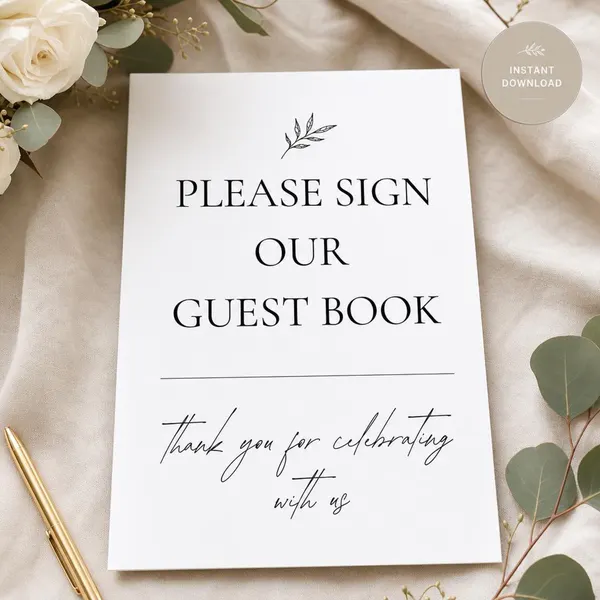
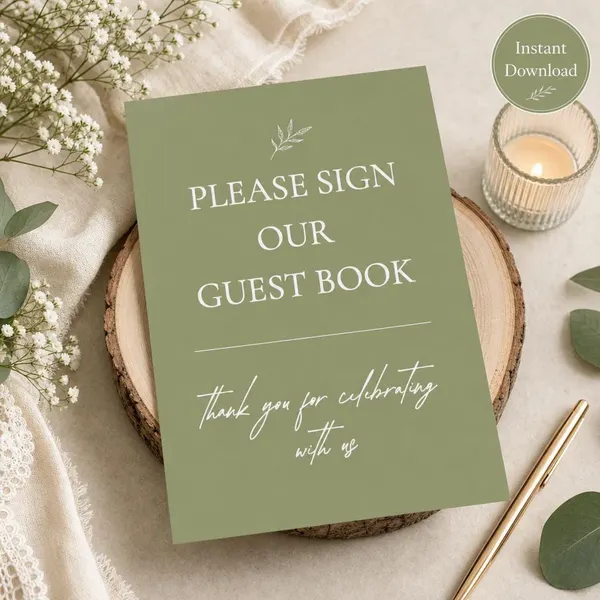
A coordinated sign helps guests understand immediately what the code is for. For a clean, contemporary reception, the Wedding Guest Book Sign Printable | Minimalist Monochrome Style | Modern Couple Reception is a natural fit for a sleek black-and-white table display. A garden or botanical celebration may suit the Wedding Guest Book Sign | Sage Green Reception Decor | Garden Ceremony Keepsake instead.
Give guests a prompt, not just a QR code
“Scan here” is functional, but it does not inspire much. Guests are more likely to participate when they know exactly what to say and feel that a short response is welcome.
Use inviting, specific wording such as:
- “Leave us a photo and a note for our future selves.”
- “Share your best marriage advice in 60 seconds.”
- “Record a quick video message for the newlyweds.”
- “Tell us your favorite memory from today.”
- “Help us fill our first married-year memory book.”
Keep the instruction friendly and brief. If you are asking for video messages, tell guests that a 15- to 30-second clip is perfect. A manageable expectation makes participation feel easy rather than intimidating.
Create a station that feels intentional
Even though the guest book is online, the experience should not feel impersonal. Set up a small table with your sign, a framed photo of the two of you, and perhaps a vase of flowers that matches your reception decor. The physical setup signals that this is a meaningful part of the celebration.
If you want guests to take and upload pictures, add a simple phone stand or a small backdrop nearby. You do not need a full photo booth; a well-lit corner and a clear invitation can be enough.
Consider assigning one outgoing friend, wedding party member, or coordinator to mention it during cocktail hour. They do not need to pressure anyone. A casual “Have you left them a video message yet?” can prompt dozens of contributions.
Announce it once at the right time
A quick mention from your DJ, bandleader, or emcee can significantly improve participation. The best time is usually after dinner, before dancing becomes the main event.
Try a short announcement: “The couple has a digital guest book by the dessert table. Scan the code to leave a photo, message, or video they can enjoy after the wedding.”
One announcement is enough. Pair it with visible signage, then let guests participate on their own terms.
Plan for guests who prefer a traditional note
Not every guest will want to use a phone, especially older relatives or anyone who simply prefers writing by hand. Offer a small stack of note cards and pens beside the sign. After the wedding, you can photograph or scan those messages and add them to your digital collection.
This backup also protects you from practical issues such as a dead phone battery or unreliable reception Wi-Fi. The best guest book is inclusive, not all-or-nothing.
Save and enjoy the memories afterward
After the wedding, download your photos, videos, and messages promptly. Organize them in more than one place, such as a cloud folder and a backup drive. Then make the collection part of your newlywed life: create a photo book, edit favorite clips into a short anniversary video, or revisit a few messages every year.
A digital guest book succeeds when it is simple to access, clearly explained, and placed where guests can pause. Give people an easy prompt, a visible QR code, and a little reminder at the right moment—and you will come home with memories that feel much more personal than a list of names.